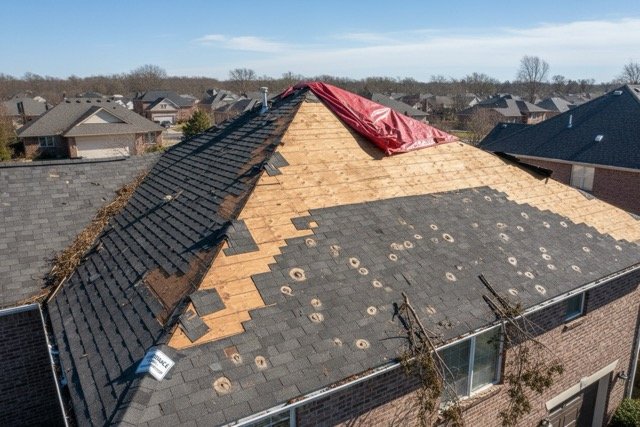
Photo-first report building
Build the report around the actual inspection photos so findings stay connected to the images that support them.
Upload inspection photos, mark issues directly on images, organize job details, and share a polished digital report or downloadable PDF from one focused workspace.
Same inspection reporting workflow on every plan. Your subscription tier only controls how many new reports your company creates each billing month.
Keep report titles, customer details, dates, inspection photos, annotations, and shared outputs tied to one company workspace.
Add inspection images, mark problem areas with circles, squares, and arrows, and keep findings attached to the report.
Publish a digital report view or download a branded PDF that keeps the inspection organized and easy to review.
Start with the job title, customer, report group, inspection date, and core site details.
Add the drone photos that document the property, issue, progress, or condition being reviewed.
Use visual callouts to highlight damage, areas of concern, completed work, or follow-up items.
Share the digital report link or download a PDF for the customer, team, or claim file.
Inspection Reports gives drone teams a focused workspace for photo review, annotation, report organization, and PDF delivery.
Build the report around the actual inspection photos so findings stay connected to the images that support them.

Use clear markups to call attention to inspection areas without turning the report into a complicated design tool.

Keep reports in your company workspace, share the digital view, and download a PDF when the report is ready.
Inspection Reports is focused on practical inspection delivery: organized photos, clear annotations, useful customer details, and repeatable outputs that teams can save, revise, and share.
Keep inspection images grouped with the report details and customer context.
Highlight damage, notes, or areas of interest directly on inspection photos.
Give clients and teammates a clean browser-based report view without sending raw folders.
Download branded PDFs for records, estimates, claims, and customer follow-up.
All plans include the full Inspection Reports workflow. Report limits count reports created per billing month. Existing reports stay available while your subscription is active.
Monthly - Up to 10 reports/month
Monthly - Up to 25 reports/month
Unlimited reports/month
Inspection Reports connects SkySync field experience with the reporting workflow drone teams need after the inspection is complete.